
Print-on-demand mockup tool for listing-ready product images
Turn one design into accurate product mockups, consistent colour variants, lifestyle images, videos, and marketplace listing copy—without stitching together separate tools.
- 15 free credits
- No credit card required
- Runs in your browser
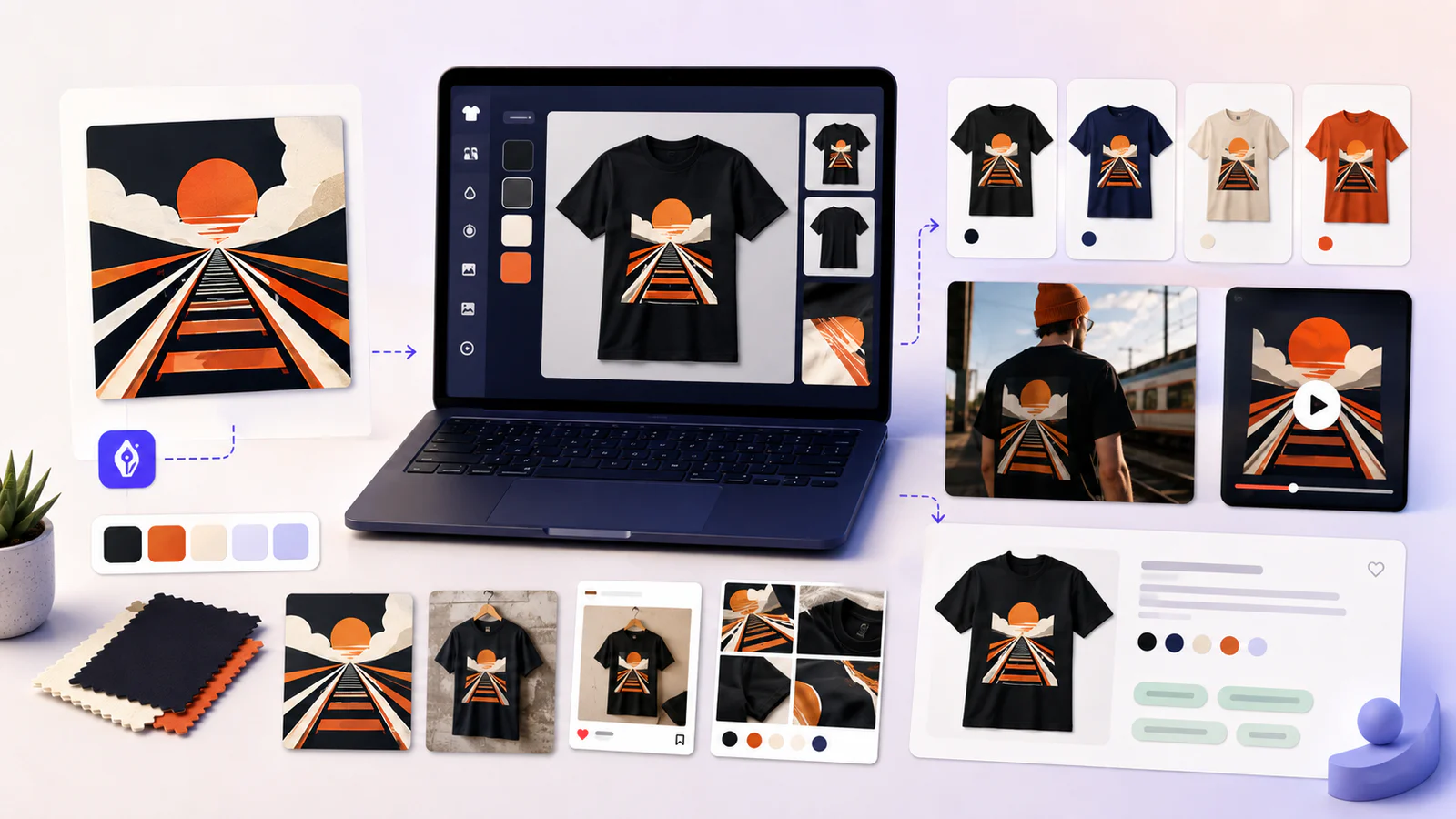
A complete POD workflow
Create the mockup—and everything the listing needs next
MockupGen combines controlled artwork placement with the variants and content needed to launch a product on Etsy, Shopify, or your own store.
Product mockups for POD catalogues
Create listing-ready mockups for apparel, mugs, tote bags, posters, stickers, phone cases, and your own uploaded product blanks.
Precise artwork placement
Drag, resize, rotate, and position your design in a visual editor instead of accepting an automatic placement you cannot control.
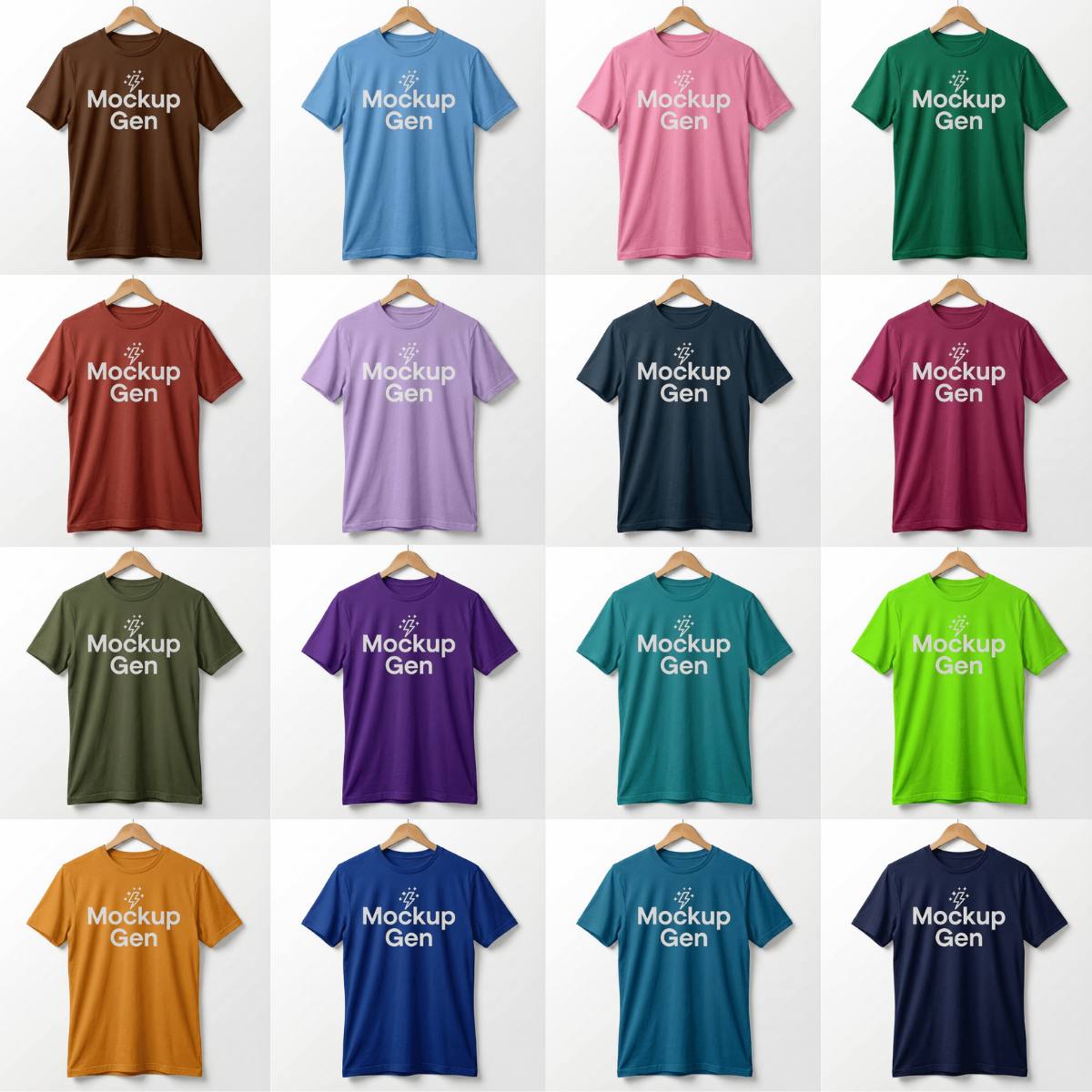
Consistent colour variants
Approve the placement once, then reuse it across product colours so every image in the listing feels like part of one set.
More than static images
Turn finished mockups into lifestyle scenes, listing videos, and social content without rebuilding the product from scratch.
Marketplace listing copy
Prepare titles, descriptions, and tags for Etsy or Shopify alongside the visual assets for the same product.
One connected workspace
Keep designs, product blanks, finished mockups, variants, videos, and listing content together as your catalogue grows.
How the mockup tool works
From artwork to a complete POD listing set
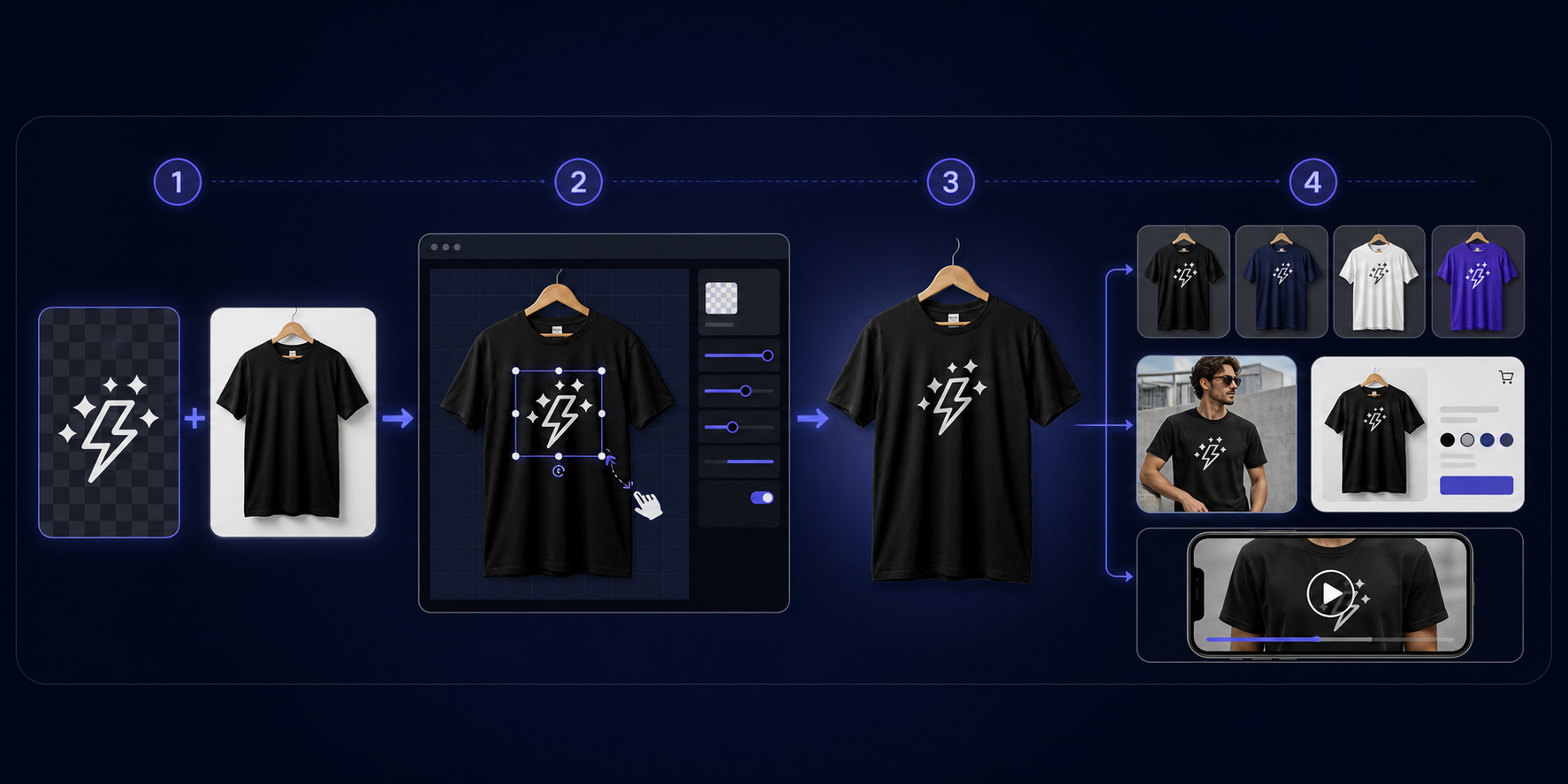
Choose or create a product blank
Start with a supported POD product such as Gildan or Bella+Canvas, generate a new blank, or upload your own product photo.
Upload and place your design
Use the visual editor to control the artwork size, position, and rotation on the product.
Create the complete mockup set
Reuse the approved placement for colour variants, lifestyle images, videos, and social assets.
Prepare the listing
Export high-resolution visuals and draft marketplace copy for your final review before publishing.
Built for repeatable listings
A POD mockup tool, not just a folder of stock templates
Stock templates are useful for a quick image, but a growing catalogue needs repeatable placement, dependable colour sets, and connected listing assets. MockupGen keeps that production workflow together.
- Control design size and placement before generating variants
- Reuse product work across marketplace images, video, and social content
- Create with supported POD products or upload your own blank
- Keep product visuals and listing copy organised in one workspace
Print-on-demand mockup tool questions
What is a print-on-demand mockup tool?
A print-on-demand mockup tool turns artwork into product images that show how a design will look on an item such as a t-shirt, hoodie, mug, tote bag, poster, or phone case. MockupGen also keeps colour variants, videos, and listing copy in the same workflow.
Can I use MockupGen for Etsy and Shopify?
Yes. MockupGen is designed for POD sellers preparing product visuals and listing content for marketplaces and stores including Etsy and Shopify. Always review each marketplace's current image and listing requirements before publishing.
Do I need Photoshop to create a POD mockup?
No. MockupGen runs in the browser. You can choose or upload a product blank, place your artwork in the visual editor, and export the finished result without editing a Photoshop smart object.
Can I keep the design placement consistent across colours?
Yes. Once the artwork placement is approved, you can reuse it across colour variants so the product stays aligned throughout the listing image set.
Which print-on-demand products are supported?
MockupGen supports popular apparel and POD products including t-shirts, hoodies, sweatshirts, mugs, tote bags, posters, canvas prints, stickers, sticker sheets, and phone cases. You can also upload your own clean product blank.
Can I try the mockup tool for free?
Yes. New accounts start with 15 free credits and no credit card is required. Credits let you test the workflow before choosing a paid plan.